Linear vs Tactile vs Low-Profile: Choosing the Best Keyboard for High WPM
Understand actuation distance, spring weight, bottom-out fatigue, and keycap profile so you pick a mechanical keyboard switch that matches your finger biomechanics.
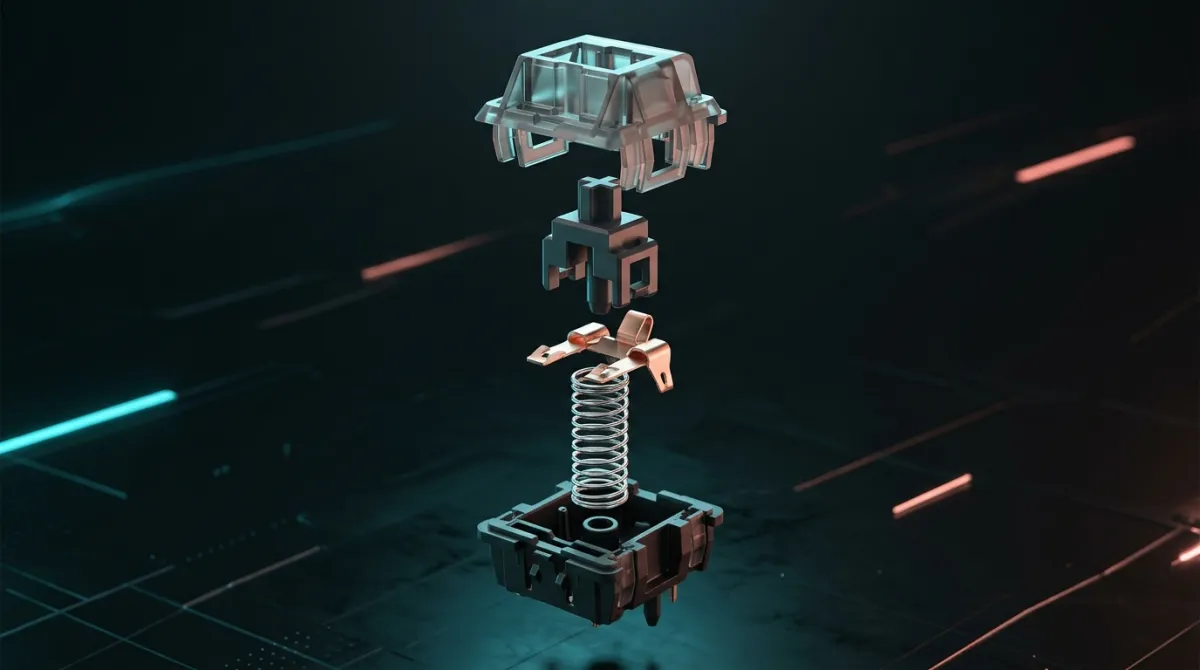
Scroll through keyboard forums and you will quickly hear conflicting absolutes: "Light linear switches are the only choice for 150 WPM," followed immediately by "Tactile switches prevent typos," and "Low-profile laptop keyboards beat everything because of short travel."
In reality, competitive typing leaderboards are packed with 160+ WPM typists on light linears, snappy tactiles, Topre electro-capacitive domes, and even Apple Magic Keyboards. Hardware rarely creates speed out of thin air—matching switch mechanics to your finger weight and error tendencies removes physical friction so your technique can shine.
Understanding the Four Specs That Actually Affect Typing
Ignore marketing buzzwords and evaluate any switch on four measurable traits:
- Force Curve (Linear vs. Tactile vs. Clicky): Whether resistance rises smoothly or includes a feedback bump at actuation.
- Actuation & Bottom-Out Weight (grams): How easily fingers trigger a key—and whether resting on home row triggers stray letters.
- Pre-Travel & Total Travel (millimeters): How far the stem moves before registering (
1.2–2.2 mm) and bottoming out (2.8–4.0 mm). - Reset Point & Acoustic Cushion: How fast the stem rebounds for double letters (
tt,ee,ll,oo) and how harsh the bottom-out impact feels.
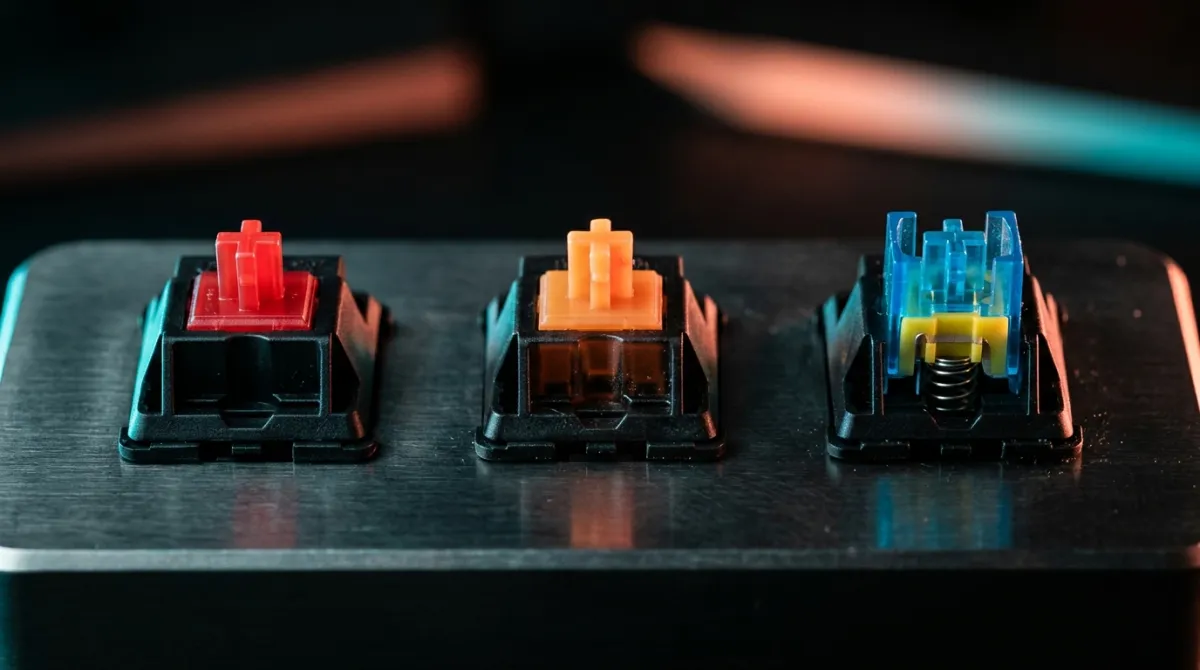
Switch Category Comparison for High-WPM Typists
| Switch Style | Typical Actuation / Travel | Speed Feel | Accuracy Risk | Best Fit For |
|---|---|---|---|---|
| Light–Medium Linear (42–50g) | 1.8–2.0 mm / 3.6–4.0 mm | Silky, effortless rapid rolls & double-taps | Stray resting typos if < 40g | Smooth floating-wrist typists & fast gamers |
| Moderate Tactile (50–58g) | 2.0 mm / 3.5–4.0 mm | Crisp confirmation bump on every key | Slightly higher finger effort over hours | Typists plagued by accidental ghost presses |
| Low-Profile Mechanical (40–50g) | 1.2–1.5 mm / 2.8–3.2 mm | Instant snap & minimal vertical finger lift | Harder bottom-out shock on stiff plates | Laptop converts seeking short travel + crisp feel |
| Clicky (Click-Bar / Jacket) | 1.8–2.2 mm / 3.6–4.0 mm | Distinct rhythmic snap & audio cue | Mic bleed; jacket clickers reset slower | Solo office writers who love typewriter cadence |
Linear vs. Tactile: How Your Error Pattern Decides
The smartest way to choose between linear and tactile switches is to inspect how you make mistakes during a baseline typing speed test:
- Choose a Linear (42–52g) if you type lightly, glide quickly across bigrams, and rarely brush adjacent keys accidentally—or if tactile bumps make long 5-minute sessions feel heavy on your ring and pinky fingers. Avoid ultra-light
< 38gsprings unless you keep your hands cleanly hovering. - Choose a Crisp Tactile (48–58g) if you frequently trigger unintended letters while resting on home row (
a,s,k,;), or if you bottom out harshly on linears because you cannot tell when the key actuated. - Avoid overly sharp long-pole speed switches (
1.0–1.2 mmactuation) unless you have extremely disciplined finger control: hair-trigger actuation turns tiny finger twitches into double spaces and extra letters.
Low-Profile vs. Full-Height Mechanical Keyboards
Many programmers and writers switch from sleek laptop scissor keyboards (~1.0–1.2 mm travel) to tall custom mechanical boards (4.0 mm travel) and notice a 10 WPM dip during week one. That happens because tall OEM or SA keycaps force extra vertical finger clearance and wrist extension.
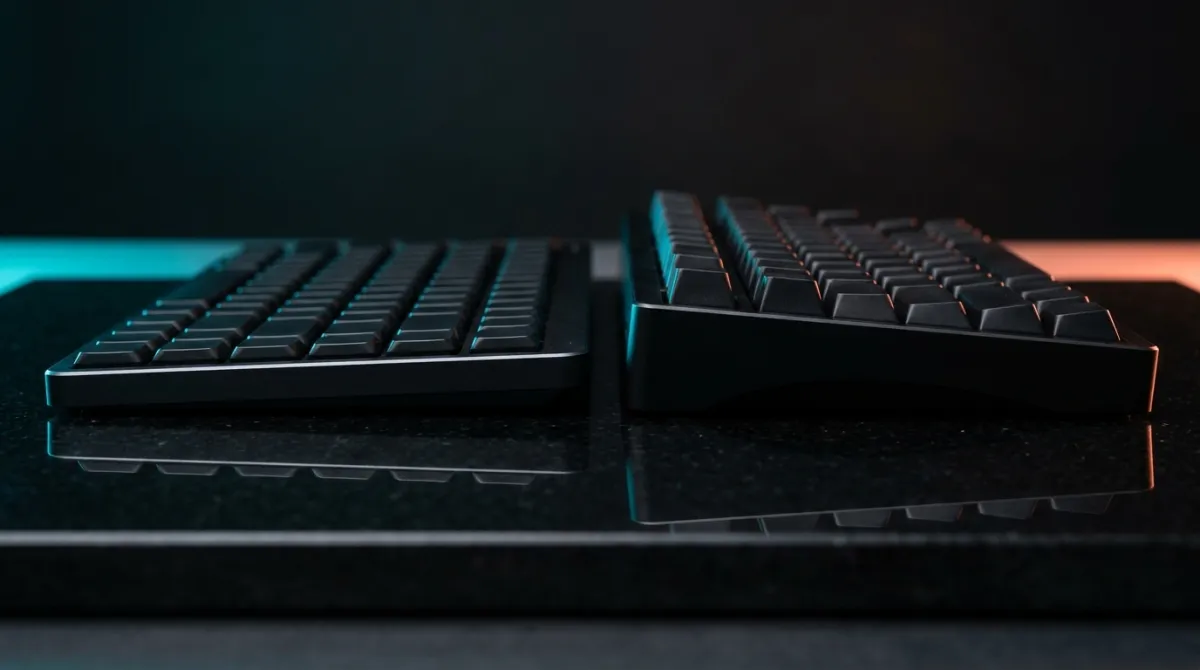
Two practical fixes bridge the gap:
- Low-profile mechanical boards (like Choc or Gateron Low-Profile switches) keep total travel near
2.8–3.2 mmand let wrists stay naturally flat without needing a thick palm rest. - Cherry-profile keycaps on gasket-mounted boards give full mechanical cushion without towering key height, letting fast typists skim lightly over sculpted tops without excessive wrist bend.
Don't Overlook Keycaps, Stabilizers & Layout Size
Switches get 90% of the spotlight, yet three surrounding parts shape real-world WPM just as much:
- Keycap texture & profile: Matte PBT keycaps resist finger slip far better than shiny ABS during warm multi-hour sprints. Spherical uniform caps (XDA/DSA) look clean, while sculpted Cherry profile helps blind touch typists orient rows instantly by slope.
- Spacebar stabilizer tuning: A sluggish, rattling Spacebar ruins word boundaries. A crisp, smoothly tuned Spacebar stabilizer makes
the,and, andthatsnaps noticeably cleaner. - 65% / 75% / TKL ergonomics: Removing the right-side numpad (unless you enter financial spreadsheets daily) brings your mouse inward by several inches, relaxing your right shoulder and centering your hands naturally.
Avoiding Buyer's Remorse: How to Test Switches Objectively
Before buying a full set of boutique switches or a custom board, avoid judging solely by sound tests online. Acoustic recordings tell you almost nothing about spring return fatigue or accidental activation rates. Instead, benchmark objectively:
- Log three 1-minute baselines on your current board inside our typing speed test, recording Net WPM, Raw WPM, and whether errors come from missed strokes (too heavy/long) or stray neighbor presses (too light/shallow).
- Test a switch sampler or retail board for sustained two-minute paragraphs rather than tapping one key twice—ring and pinky fingers tire far sooner than index fingers.
- Evaluate total ergonomic height: Pair tall mechanical cases with a slim firm palm rest (used strictly between sentences) or pick a naturally low-profile chassis if your wrists extend upward.
- Check stabilizer rattle on Shift and Spacebar: Heavy, mushy stabilizers on large modifier keys slow down capitalization and word spacing more than letter-switch feel ever will.
- Match desk acoustics to your focus environment: Ultra-loud click-bar boards can fatigue your ears or disrupt shared calls, whereas lightly damped or smooth PBT-capped tactile boards preserve tactile clarity without harsh resonance.
Adapting Cleanly After Any Switch Change
Give your hands 7 to 10 days before judging a new keyboard. Whenever you swap switches or profiles, run five untimed minutes in Zen mode to recalibrate actuation depth without timer tension, rebuild row confidence with guided lessons if key heights changed, and then run three timed benchmarks on our speed test to compare your true Net WPM and accuracy delta objectively.
Frequently asked questions
Are linear or tactile switches faster for high WPM typing?
Do low-profile switches or laptop scissor switches make you type faster?
What is the best actuation spring weight for speed without accidental typos?
Are clicky switches bad for fast typing?
How much WPM gain can I realistically expect from upgrading switches?
Continue reading
All posts
Typing Ergonomics: Floating Wrists, Desk Height & Preventing Fatigue on Long Sessions
Speed disappears fast if forearm tendons burn by minute twenty. Learn neutral elbow angles, floating-wrist alignment, desk height setup, and micro-break recovery.
5 min
7 Science-Backed Habits of 150+ WPM Typists
Elite typists do not move their fingers three times faster—they buffer words ahead, fire motor chunks, protect 98% accuracy, and train weak keys under ranked pressure.
6 min

Best Monkeytype, TypeRacer & 10FastFingers Alternative for Ranked 1v1 Duels
Compare Monkeytype, TypeRacer, 10FastFingers, and WPM Duel side by side across ELO matchmaking, anti-cheat telemetry, structured lessons, and official exam modes.
5 min